
From the store to the site to the books: one record.
Eight parts of Pivora share a single record. Work recorded in one place is already there in every other place it belongs, so nobody types anything twice.
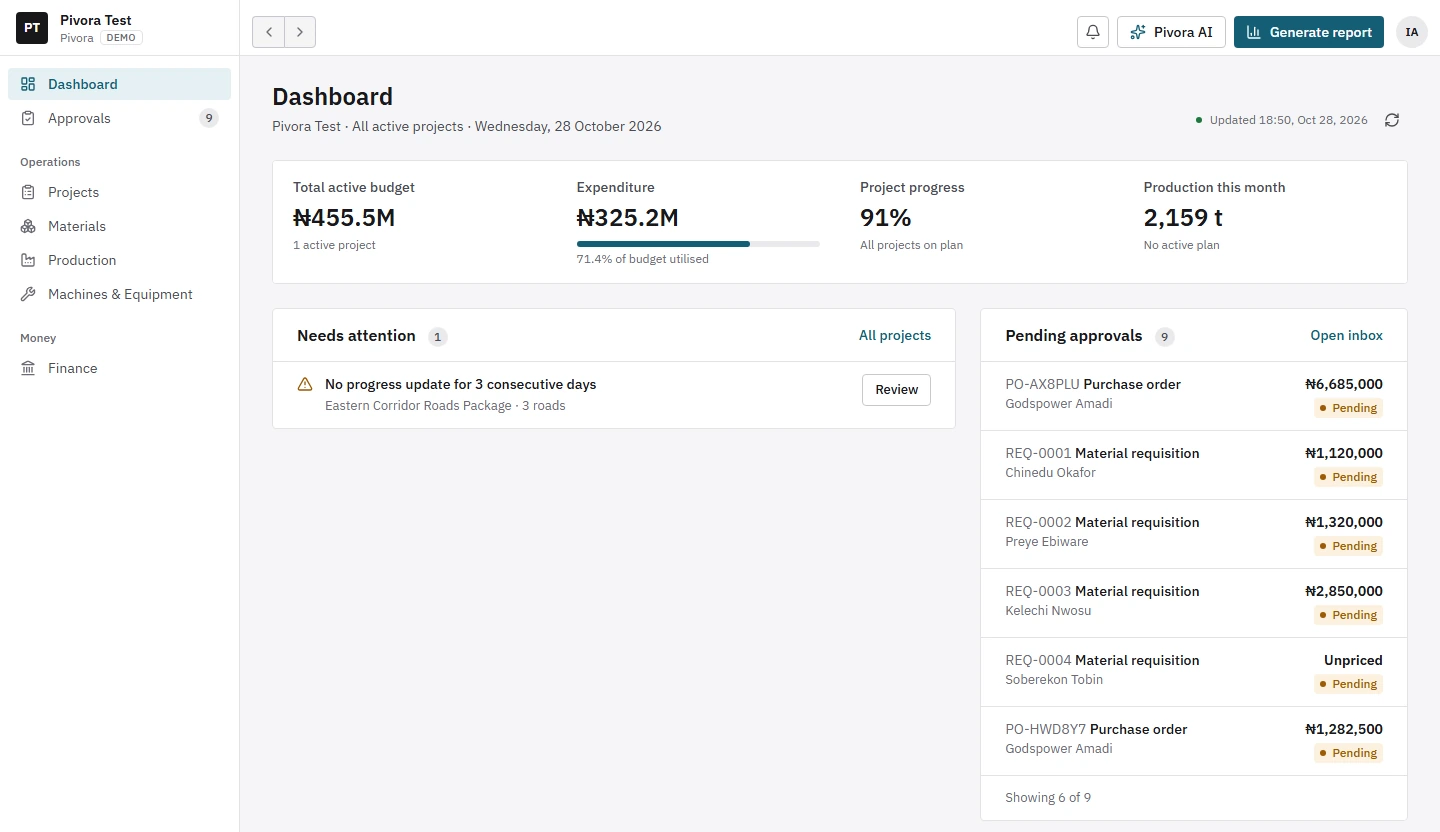
Product screens show sample data from Pivora’s demo company.
The storekeeper records 120 bags going to Rumuola Road.
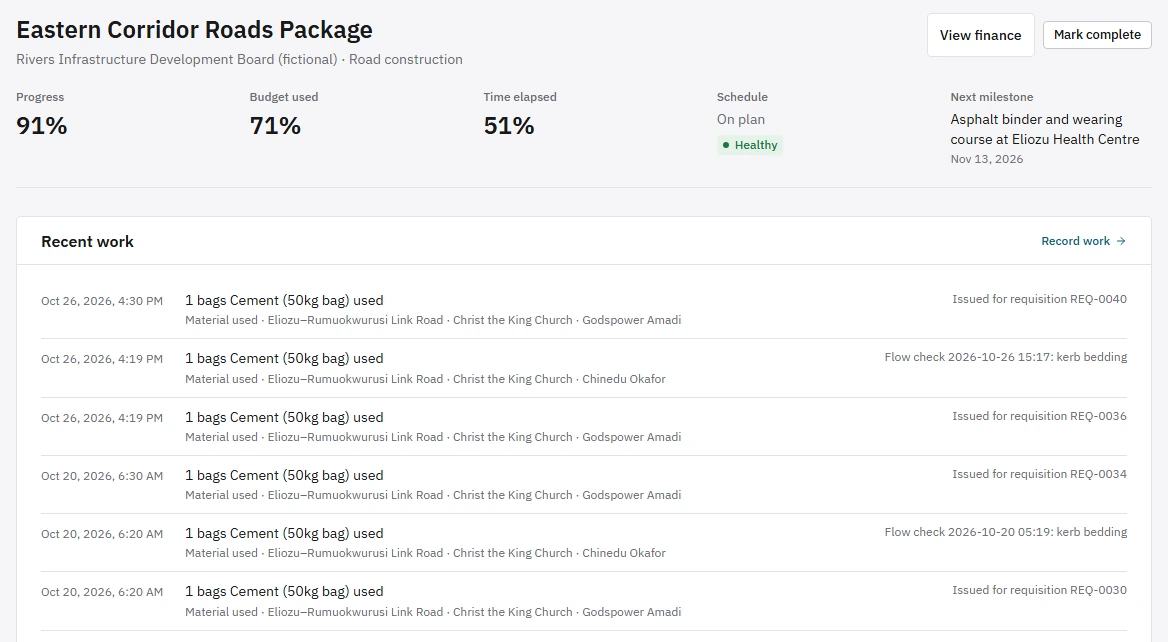
The site engineer logs what was used on which stretch.
Usage is compared with the plan for that stretch of road.
The cost lands on the road’s budget and the company’s accounts.
Projects and roads
Organise work the way it actually happens: projects, the roads under each, and the landmarks along every road, such as a junction, a church or a school, where work is done. Costs, materials and progress roll up on their own.
Stores and materials
Every receipt, transfer between stores, issue to site, return, use and waste. Store counts are compared with the record, and a count that doesn’t match raises an alert.
Procurement
Requisitions from site become purchase orders, deliveries and supplier payments, including refunds and supplier credit, in one connected chain.
Finance
One company cash book: imprest in, expenses out, fund requests from site, invoices to customers and their payments, and budget against spend for every road.
Asphalt plant
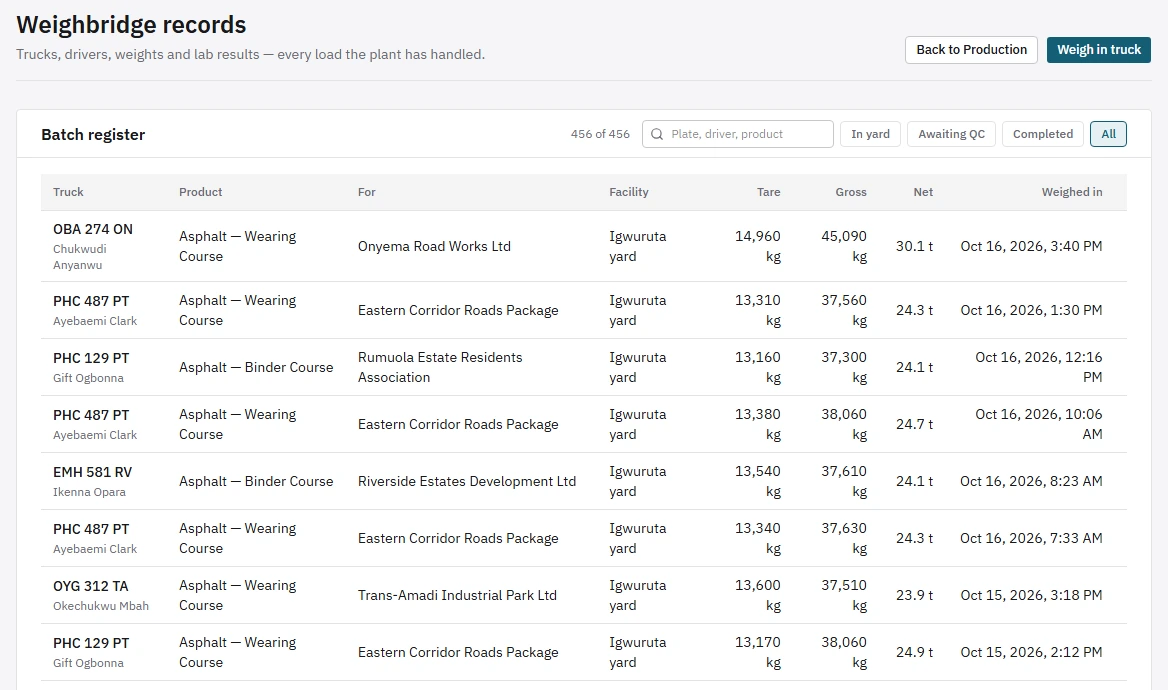
Client orders, trucks weighed in and out, quality tests, and output against target.
Machines and equipment
The condition, maintenance and cost of every machine, kept beside the jobs it serves.
Approvals
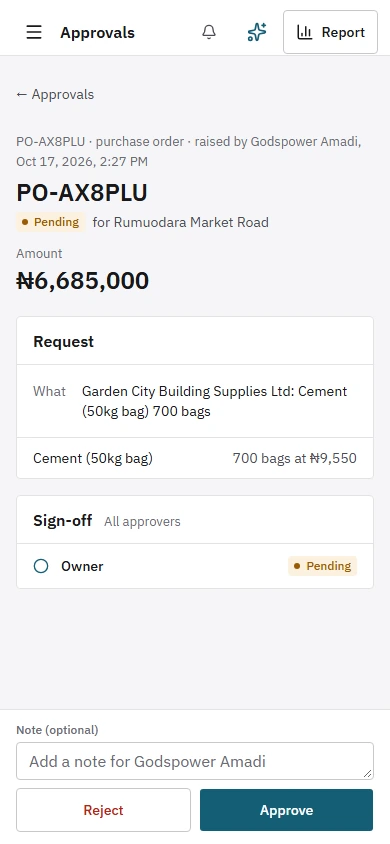
Clear rules for who approves which requisitions, purchase orders and fund requests, and up to what amount. Nobody approves their own request, and every decision is recorded.
Alerts
Low stock, store counts that don’t match, roads over budget, production behind plan, high wastage, late deliveries and purchase orders, weighbridge weights and times that can’t be right, deliveries recorded twice or beyond their order, and missing labour.
Requests from site, decisions from anywhere.
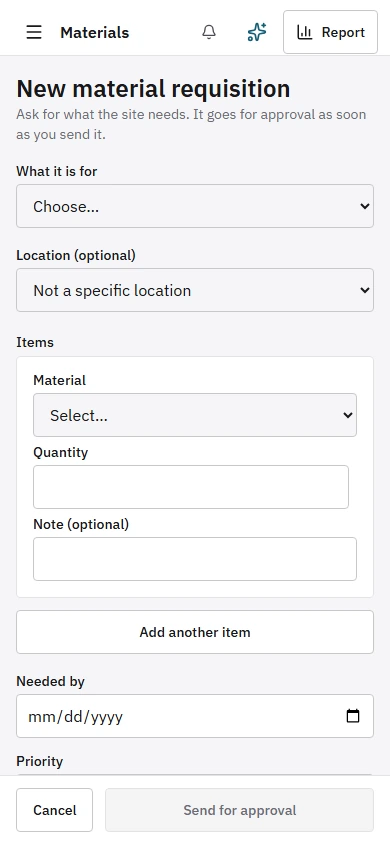
Site engineers raise requisitions on site. Approvers decide from their phones.
Every load weighed, every road measured.
Everyone sees what they should, and nothing more.
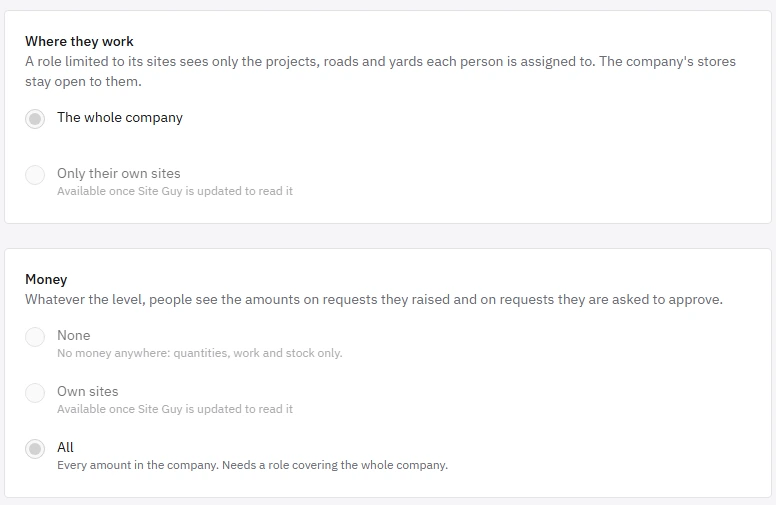
Each role opens only the parts of Pivora it needs, and is set to see amounts or not. A storekeeper works with quantities; accounts sees the money. People always see the amounts on requests they raised, and approvers see the figures on what they are deciding. Where an amount is withheld, Pivora says “Not available to you” instead of showing a zero.
See the platform on your own data.
Tell us about your projects, stores and plant. We’ll show you Pivora running on a job like yours.